Themes and resource packs
Themes change the colors of Locus. Resource packs replace icons, translations, styles and links. You find both in Settings, which you open from the menu in the top right corner.
Themes
Section titled “Themes”Open Settings > Appearance and pick a theme under Theme. The theme applies right away. Files keep their original colors.
Locus comes with these themes:
- Default
- Dark
- Catppuccin Mocha, Macchiato, Frappé and Latte
- Dracula
- Tokyo Night
- One Dark
- Nord
- Gruvbox Dark
- Rosé Pine
- Solarized Dark and Solarized Light
Click 12 more themes under Dark to see all of them.
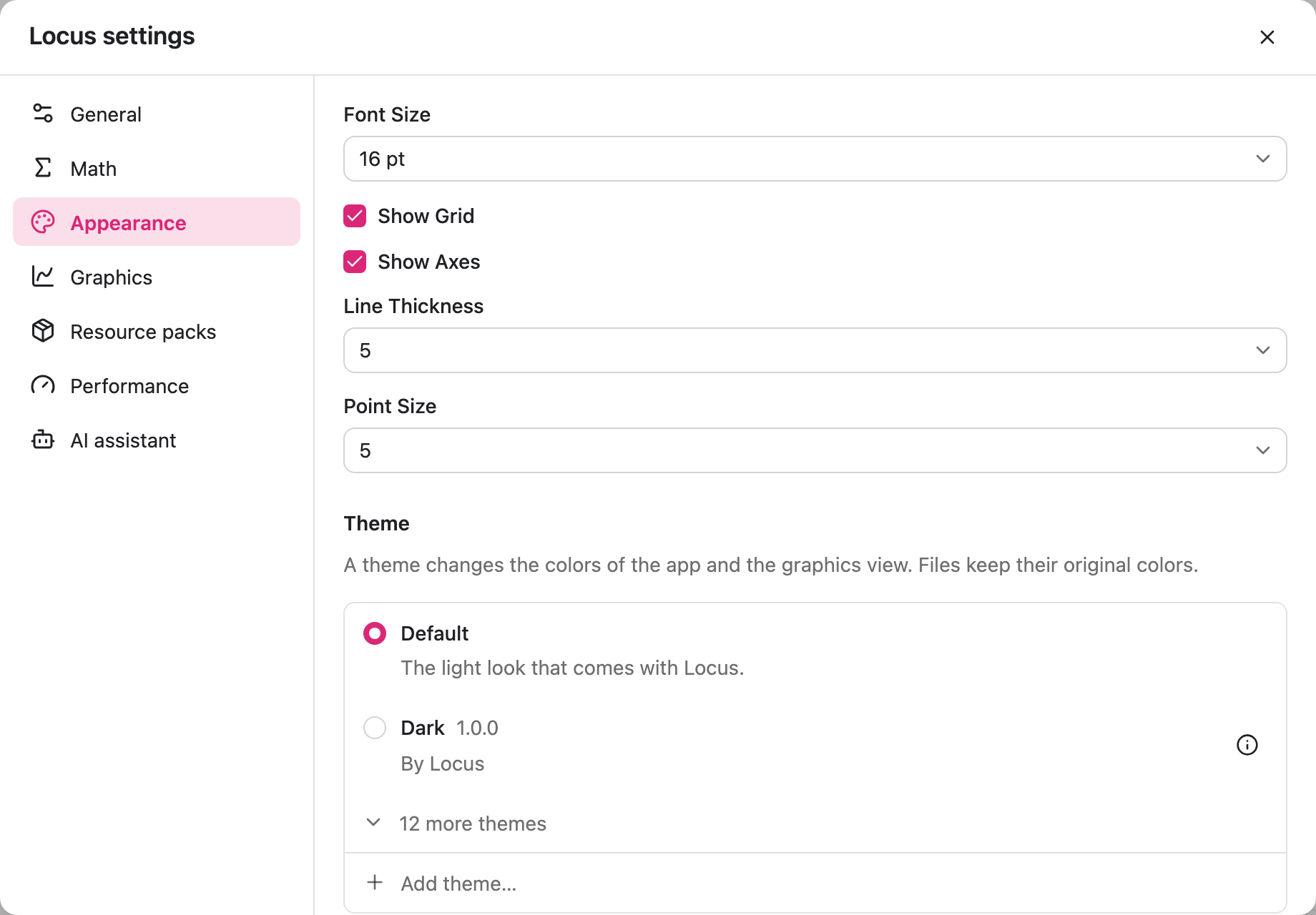
Adding a theme
Section titled “Adding a theme”Themes are .lctheme files. To add one:
- Click Add theme… at the end of the list, or drop the
.lcthemefile on a Locus window. - Click Add.
A theme with the same id as an installed theme replaces it. To remove a theme, click its ⓘ button, then Remove. Built-in themes cannot be removed.
Making a theme
Section titled “Making a theme”A .lctheme file is a zip archive with a theme.json file and an optional theme.css file.
{ "format": 1, "id": "my-theme", "name": "My Theme", "version": "1.0.0", "author": "Me", "background": "#1C1C1F", "foreground": "#E6E6EB", "colors": { "primary-100": "#2D1422", "primary-900": "#FDF2F8", "highlight": "#EC4899", "highlight-light": "#4A1A35" }}idcan only contain letters, digits,-,_and..- Colors use the
#RRGGBBformat. backgroundandforegroundonly apply when both are set.description,licenseandlinksare optional and show up in the theme’s details.
Resource packs
Section titled “Resource packs”A resource pack replaces icons, translations, styles and links. Only one pack can be active at a time.
Open Settings > Resource packs and pick a pack. Locus reloads and keeps the open construction. Built-in uses the resources that come with Locus.
Resource packs are .lcpack files. You add and remove them the same way as themes, with Add resource pack… and the ⓘ button.
A .lcpack file is a zip archive with a pack.json file. It can contain:
- SVG icons in
assets/, which replace the built-in icons - translation files in
lang/ - a
theme.cssfile
In pack.json you can also set the app name shown in window titles (productName), the app icon (icon), the title bar color (titleBar), colors (colors, with the same keys as themes) and the help and website links (urls).